
Design Your Perfect Workspace with Customizable Home Office Furniture
Posted by Harvey Bruce on
Ever felt that tiny pang of frustration when your home office looks more like a kitchen table shoved into a corner than a space that actually works for you? You’re not alone – many homeowners in West Lothian and beyond start their day juggling a laptop, a stack of papers, and a chair that feels like a temporary solution.
What we’ve seen time and again at Harvey Bruce Interiors is that the secret isn’t just buying a bigger desk; it’s choosing customizable home office furniture that adapts to the way you live. Imagine a desk that can extend for a full‑size monitor, shrink back when you need to host a quick video call, and hide cables behind a sleek panel – all without turning your room into a showroom.
Here’s a quick way to start: first, measure the wall space from floor to ceiling, then sketch three zones – work, storage, and breathing room. Next, pick a desk with adjustable height; the flexibility lets you sit or stand, which research from the UK Health and Safety Executive shows can boost productivity by up to 15 %.
Second, think about modular add‑ons. A pair of floating shelves can hold reference books while keeping the floor clear for a yoga mat or a pet’s favourite spot. In one recent project a couple in Edinburgh added a pull‑out keyboard tray beneath a walnut desk, freeing up surface area for a decorative lamp that doubles as a charger.
Third, don’t forget lighting and ergonomics. A task lamp with a dimmer and a monitor arm that tilts reduces eye strain – something we often recommend alongside our furniture because a well‑lit workspace feels instantly more inviting.
Finally, give yourself a checklist before you hit ‘order’:
- Confirm the desk’s weight capacity matches your equipment.
- Check that any custom finish matches existing flooring or wall colour.
- Ask for a sample swatch to see how the wood grain reacts to your room’s natural light.
- Make sure there’s a discreet cable management solution.
Take a moment now, pull out that tape measure, and picture the flow of your day from morning coffee to late‑evening brainstorming. When the pieces fit together, your home office stops feeling like an afterthought and becomes a space that truly inspires you.
TL;DR
If you want a workspace that adapts to your daily rhythm, choose customizable home office furniture that fits your room, style, and ergonomic needs without compromise.
Measure, plan zones, and pick adjustable pieces now, then enjoy a tidy, inspiring office that boosts productivity and makes every workday feel effortlessly personal.
Step 1: Assess Your Space and Needs
Before you pick a desk that stretches like a yoga mat, take a breath and actually look at the room you’re working with. What’s the shape of the wall? How much natural light does it get at 9 am versus 6 pm? Those little details tell you whether a sleek glass‑top will glare or a warm walnut will glow.
Grab a tape measure – the old‑school way – and jot down three numbers: floor‑to‑ceiling height, wall length, and the depth you can comfortably leave open for a chair or a cat’s nap spot. Write them down on a napkin if that’s what you have handy; the goal is to see the space, not to stress over perfect CAD drawings.
Next, think about zones. A typical home office needs a work zone (desk + chair), a storage zone (shelves, drawers), and a breathing zone (clear floor space for movement). Sketch a quick layout with pencil – you’ll be surprised how many ideas emerge when you doodle.
Now, ask yourself: do you need a standing‑desk option? In our experience, adjustable‑height desks make the room feel bigger because you can pull the desk away from the wall when you stand, opening up the floor. If you’re into focus‑boosting tricks, you might pair that desk with a Pomodoro timer like the one explained in this Pomodoro guide for editing manuscripts. It’s a tiny habit that keeps you honest about breaks, and it works just as well when you’re typing up a client brief.
But what about the bigger picture? If you ever consider expanding the room or adding a built‑in wall unit, take a look at the commercial renovation guide for ADU projects. While it’s aimed at larger remodels, the checklist on load‑bearing walls and electrical capacity can save you a costly surprise later on.
Lighting is another hidden player. Position your desk where you can enjoy daylight without glare on the monitor. Add a task lamp with a dimmer for those late‑night sessions. And if you love a bit of ambience, a subtle LED strip behind the desk can double as mood lighting – just make sure the power source is tucked away in a cable management tray.
Let’s talk ergonomics. Your chair should support the natural curve of your spine, and your monitor top should sit at eye level. If you’re not sure, sit at the desk with a stack of books on the screen and see if you can glance down without tilting your head. Small adjustments now prevent neck strain later.
Here’s a quick checklist you can print:
- Measure floor‑to‑ceiling, wall length, and usable depth.
- Identify work, storage, and breathing zones.
- Decide if you need sit‑stand flexibility.
- Check load capacity for any heavy equipment.
- Plan lighting – natural and task.
- Confirm cable management options.
And because we love a good visual aid, here’s a short video that walks through measuring and zoning in a real‑world home office. It’ll give you a clearer picture of how those numbers turn into a functional layout.
After you’ve got your measurements, you can start browsing options. If you’re after something truly bespoke, think about a modular desk system that lets you add or remove panels as your needs change. And if you ever need a quick design consultation, you can reach out to our LED lighting partner at LED Artistry for customised ambience solutions.
Finally, picture the day you’re done – a tidy workspace where the desk slides back, the chair rolls away, and you have room for a coffee break or a quick stretch. That feeling of flow starts with a solid assessment, so take the time now and you’ll thank yourself later.
Step 2: Choose Modular Desk Systems
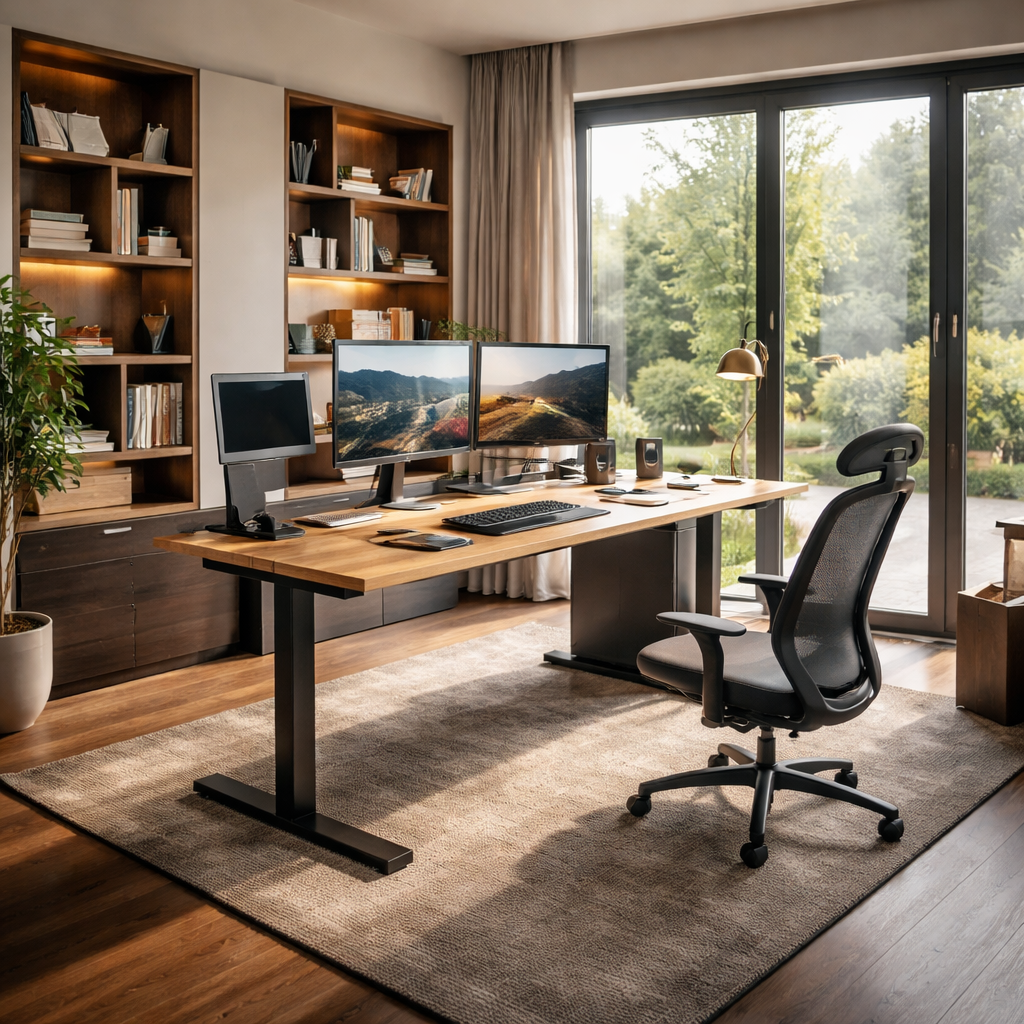
So you’ve mapped the zones, now it’s time to think about how the desk itself grows with you. Modular desk systems let you start small and expand as your workflow evolves, which is exactly what many homeowners in the UK want when they’re building a space that feels personal, not fussy.
In our experience at Harvey Bruce Interiors, the best setups start with a solid base—usually a robust desk with a good weight rating and a clean, cable‑friendly surface. Then you add components that fit your routines: a credenza for files, floating shelves for references, a pull‑out keyboard tray, or a laterals unit for document storage.
Start with a solid base
Choose a base desk that you’ll live with every day. Look for adjustable height if you want sit‑stand capability, and make sure the legs or frame offer real stability for a big monitor or two. A slim back edge and a generous surface on top help keep the room feeling open rather than crowded.
Think about the depth and the legroom you need. If you juggle papers and gadgets, you’ll thank yourself for extra knee space and a surface that doesn’t force you into awkward angles. The right base sets the tone for everything that comes after.
Add modular add‑ons that fit your workflow
A wall‑mounted monitor arm can save precious desk real estate, while a hidden cable channel keeps clutter out of sight. A slim filing cabinet or a mobile pedestal can slot under the desk without pinching legroom. When choosing finishes, aim for tones that harmonise with your floor and wall colours so the system reads as a cohesive unit.
Consider how you move through the day. If you need a dedicated space for drawing or drafting, add a return section or a corner module. Modular pieces should click together without fighting you during assembly, and they should feel like they belong next to each other, not like a mismatched add‑on.
Plan for future flexibility
Think ahead about potential shifts in your routine. Maybe you’ll add a second monitor, incorporate a printer station, or swap in a larger credenza later. Modular systems shine when they adapt, so map out at least two future scenarios and verify that the modules you’re eyeing can handle them.
In our practice, we’ve seen families in Edinburgh and beyond start with a core desk and a couple of thoughtfully chosen modules, then grow into a fully customized workspace without replacing the whole setup. That’s the beauty of modular design: it respects your living space while expanding with your life.
Delivery, assembly, and practical checks
Before you order, confirm delivery paths and access in your home. Measure doorways and stairwells, and ask about packaging protection for delicate finishes. A quick snag list helps you avoid surprises on delivery day.
Now, the practical checklist you’ll actually use: weight capacity for monitors and printers; secure interlocking for seamless alignment; finish swatches to compare under natural light; built‑in cable management options to keep wires tidy; and a clear plan for how the modules will sit in your room.
If you’d like a quick visual on how these pieces come together, watch this short guide. Watch this quick visual guide for a flavour of how modular components can fit around a single workstation.
Step 3: Select Adjustable Seating and Storage
Picture this: you’ve just settled into your new modular desk, but after a half‑hour the back‑ache you felt yesterday is creeping back. It’s a tiny reminder that a great desk is only half the story – the chair you sit on and the way you stash your stuff matter just as much.
So, how do you pick pieces that flex with your day and keep the space feeling sleek?
Adjustable Seating
In a home office, the chair is the workhorse you spend the most time with. An adjustable office chair guide points out that the sweet spot is a chair that lets you fine‑tune height, lumbar support, armrest width and tilt. When the seat height lines up with your elbows at a 90‑degree angle, your shoulders stay relaxed and you avoid that dreaded neck strain.
Look for a pneumatic lever that moves the seat between roughly 16‑21 inches – that range comfortably covers most UK heights, from a petite student to a taller designer. If you share the desk with a partner, a model with 4‑D armrests (height, width, depth, angle) lets each of you dial in your own comfort without fighting for space.
Breathable mesh or perforated fabric keeps you cool during a summer Zoom call, while a leather‑trimed option adds a touch of luxury for those evening brainstorming sessions. And don’t forget the base: a five‑point, swivel‑ready chassis with smooth‑rolling casters means you can glide to a printer or a filing cabinet without twisting your spine.
Smart Storage Solutions
Now that your seat is sorted, think about where everything lives. Modular drawer units that slide under the desk are a godsend for notebooks, styluses and that stack of client proposals you don’t want to see on the surface. Choose a system with adjustable depth so you can shrink the drawers for shallow items or expand them for larger folders.
For larger items – think a printer, external SSDs or a small filing cabinet – a mobile pedestal on lockable wheels offers the flexibility to move the unit when you need a clear floor path for yoga or a pet’s nap spot. If floor space is at a premium, consider wall‑mounted floating shelves with integrated cable channels. They keep cords tidy and free up the desk surface for creative work.
One trick we see homeowners love is a dual‑purpose credenza that doubles as a display case for decorative pieces. The lower cabinets hide the clutter, while the upper glass doors let you showcase a favourite plant or a few art books, keeping the room feeling personal and not purely utilitarian.
Putting It Together
Here’s a quick way to visualise the combo: sit at your desk, adjust the chair until your feet rest flat and your thighs are parallel to the floor, then pull a drawer out. Does the chair stay stable? Does the drawer glide without scraping the floor? If anything feels off, tweak the chair height or swap the drawer for a slimmer profile before you lock in the purchase.
Finally, create a short “test day” checklist. Spend an hour working, then stand up, stretch and note any pressure points. Jot down whether you had to reach over a cluttered cabinet or if the chair’s tilt felt natural when you leaned back. Those tiny observations will save you from a costly mis‑match later.
| Feature | Adjustable Option | Quick Tip |
|---|---|---|
| Seating Comfort | Height‑adjustable chair with 4‑D armrests and lumbar dial | Set seat height so elbows rest at 90°, then fine‑tune lumbar to fill the natural curve of your spine. |
| Storage Flexibility | Under‑desk modular drawer unit with adjustable depth | Start with shallow drawers for stationery, add deeper ones only if you need to store larger folders. |
| Combined Functionality | Sit‑stand desk with built‑in cable tray and side credenza | Use the credenza for items you need daily; keep the cable tray sealed to avoid a spaghetti mess. |
By matching an ergonomic, adjustable chair with storage that grows alongside your workflow, you create a home office that feels custom‑made for you – exactly the promise of customizable home office furniture.
Step 4: Add Personal Touches with Bespoke Accessories
You’ve curated a base that fits your space and your work. Now let’s make it truly yours. Personal touches aren’t fluff—they’re the heartbeat of a home office that feels like you. And yes, they can be functional, too.
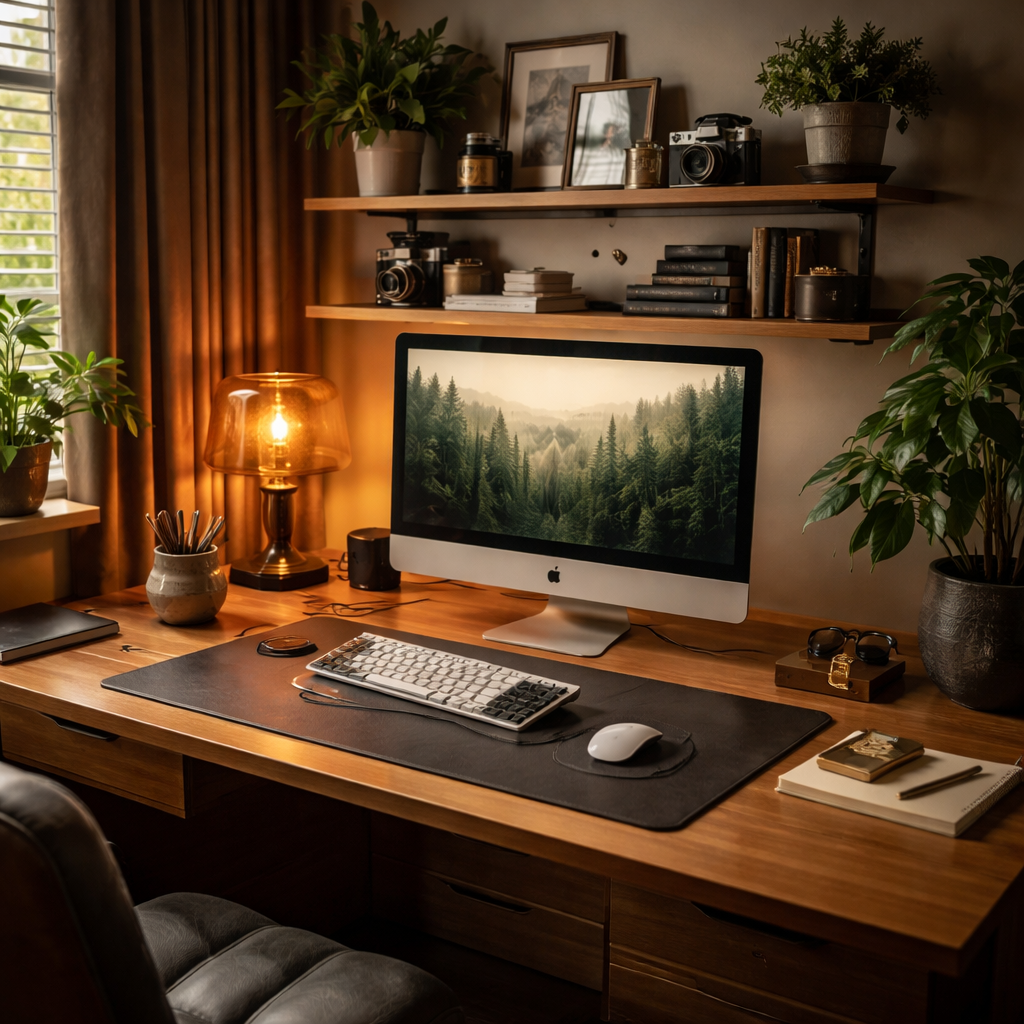
Think about what tells your story when you sit down to work. A favourite mug that doubles as a pen holder. A small display shelf with travel finds or family heirlooms. Subtle textures like a leather desk pad or a woven desk runner that softens the room while guiding your hands to the right spots. The goal isn’t clutter but a curated backdrop that sparks focus.
So, what should you do next? Let’s walk through practical, real‑world moves you can implement this weekend.
1) Audit your daily rituals and define a mood
Spend 10 minutes jotting the moments you actually use your desk. Do you jot quick notes between calls? Do you need a quiet corner for reviewing photos or sketches? From there, pick 2–3 accents that reinforce those moods—calm, energised, or elegantly minimal. A well‑chosen palette of colour, texture, and finish makes your pieces feel intentional, not accidental.
2) Lock in a cohesive material palette
Choose two to three textures that will recur across accessories. For example, combine warm timber with brass hardware and a charcoal cloth or leather accent. This keeps the space visually coherent as you add pieces—from a bespoke lamp to a handcrafted pen pot—without looking like a showroom of mismatched knick‑knacks.
3) Introduce bespoke accessories that blend beauty and function
Invest in items that serve a purpose and tell your story. A leather desk pad protects your surface and ages beautifully. A handmade ceramic pen pot keeps styling tidy while giving you a tactile delight when you reach for a tool. A brass cable clip or a slim leather cable wrap hides wires in plain sight. And a small, elegant plant or a textile coaster can soften the hard lines of a modular desk system.
In our experience, homeowners who mix a couple of premium, handmade pieces with practical storage see an immediate uplift—not just in how the room looks, but how it feels to work there. If you’re sourcing, look for pieces that use sustainable materials and timeless forms—quality that lasts beyond trends.
4) Use lighting and showcases to highlight personality
A warm task lamp with a dimmer, a wall frame displaying a favourite print, or a glass‑front cabinet with a few heirloom objects can become design anchors. The key is restraint: don’t crowd the desk; let these pieces breathe and catch the light.
Harvey Bruce Interiors often emphasises that sustainable, thoughtfully chosen accessories elevate a space while aligning with a broader commitment to responsible sourcing. Platforms like ours make it easier to source exclusive, bespoke items that fit your room and values—without compromising style.
5) Plan for growth, not just décor
Leave space for one or two future accents—maybe a rotating display for seasonal finds or a modular shelf that can slide into a different configuration later. The furniture should adapt as your work evolves, not lock you into a single look.
Wouldn’t it be nice to walk into a home office that feels instantly “you”? With a few personal touches, that’s exactly what you get—a space that supports focus, sparks joy, and still looks impeccably polished.
Step 5: Optimize Ergonomics and Tech Integration
Let’s get practical about making your customizable home office furniture work as hard as you do. Ergonomics aren’t a luxury; they’re daily productivity, clearer thinking, and less post-work ache. You bring the laptop, we bring the setup that supports it.
Start with the basics: a desk that fits your body and a chair that moves with you. If you’re using a modular system, pick pieces that feel integrated rather than tacked on. Your goal: a space that adapts to how you work, not the other way around.
Choose a solid base you won’t outgrow
Look for a base desk with enough depth to stage a monitor, keyboard, and a notebook without crowding. Knee clearance matters—aim for at least 60-65 cm of legroom. Pair it with a height-adjustable chair that offers lumbar support and a comfortable seat depth. An adjustable footrest can help with long days too.
Align your eyes, wrists, and back
Position your monitor so the top of the screen is at or slightly below your eye line. Your elbows should rest at about 90 degrees with forearms parallel to the floor. If your desk is deep, a slim keyboard tray can keep wrists neutral and reduce shoulder tension. Does this setup allow you to sit upright without leaning forward?
Make tech disappear with smart, flexible solutions
Choose monitor arms that tilt and rotate, so you can switch from code to video calls without hunching. A docking station or USB-C hub keeps cables under control. Wireless peripherals reduce clutter, and a charging tray keeps phones handy but out of the way. In our experience, these moves keep the surface calm and inviting.
Cable management that actually works
Plan for discreet pathways: cable raceways, under-desk trays, and grommets. Group related cables and label them so you can pull the right one quickly. If you’re using modular pieces, make sure there’s a shared channel where wires can pass between modules without tangling.
Lighting and glare control
Good lighting matters as much as good furniture. Use a task lamp with adjustable brightness and color temperature. Position lighting to avoid screen glare, especially if you face a window. A soft, warm glow in the background makes Zoom calls feel more natural.
Future-proof with flexibility
Leave space for growth—perhaps a second monitor, a printer station, or a slim credenza. Modular components should interlock cleanly so you can rearrange as your workflow shifts. In practice, this is the easiest way to stay current without starting from scratch.
Day-one checklist you can actually use
Measure height and depth options, confirm weight ratings, and check for built-in cable management. Test a quick 60-minute work session and adjust chair height, monitor tilt, and keyboard position. If something feels off, tweak before you buy and you’ll save time and money later.
Conclusion
So there you have it – a home office that bends to the way you work, not the other way around.
When you start with a solid, adjustable desk, pair it with a chair that moves with you, and sprinkle in modular storage, the whole room feels alive. You’ll notice the difference the moment you sit down and the cables stay hidden, the light hits just right, and you can stretch without bumping into a clunky table.
Remember the little checklist we built together: measure, map zones, test height, label wires. If any step feels off, tweak it now – it’s far easier than rearranging after you’ve bought the whole set.
What’s next?
Take a few minutes this week to walk the space, visualise a typical workday, and note where you still feel cramped or uninspired. Then head to Harvey Bruce Interiors’s online showroom and explore the range of customizable home office furniture that matches your style and sustainability values.
In the end, a well‑designed office does more than look good; it boosts focus, eases fatigue, and makes you actually enjoy the time you spend at your desk. Ready to make that shift? Your perfect workspace is only a few thoughtful adjustments away.
FAQ
What makes furniture truly customizable for a home office?
It’s all about pieces that you can tweak without buying a whole new set. Think adjustable‑height desks, interchangeable drawer modules, or panels that swap finishes. When each element snaps together, you can change the layout as your workflow evolves – whether you need extra surface for a dual‑monitor setup or want to hide a printer later on. The key is flexibility without sacrificing style.
How do I choose the right size desk when my room is small?
Start by measuring the clear floor space you need for a chair to move freely – at least 60 cm of legroom is ideal. Then look for a desk with a shallow depth (around 70 cm) but enough surface to hold a laptop, a notebook, and a lamp. Modular desks let you add a narrow side console only when you need it, so you’re not forced into a bulky piece.
Can I keep my existing chair and still get a fully customizable setup?
Absolutely. A good modular system works with any ergonomic chair, as long as the desk height can be adjusted to match your seat. If your chair sits at 44 cm, set the desk so your elbows are roughly 90 degrees. You’ll notice less strain and the desk will still accommodate future add‑ons like a pull‑out keyboard tray.
What materials are best for a sustainable home office?
Look for responsibly sourced wood, reclaimed timber, or FSC‑certified plywood. These give you a warm aesthetic while keeping the carbon footprint low. Pair them with metal hardware that’s recyclable and finishes that avoid volatile organic compounds. At Harvey Bruce Interiors we source pieces that balance durability, style, and environmental stewardship, so you get a lasting workspace you can feel good about.
How can I hide cables without buying a specialised kit?
Simple tricks go a long way. Route power strips to the back of the desk and tuck cords through a drilled grommet or a built‑in cable channel if the desk offers one. If not, adhesive clips can guide wires along the underside of the tabletop. Group chargers together and label each bundle – it makes future moves painless and keeps the surface looking sleek.
Is it worth investing in a sit‑stand desk now, or should I wait?
If you spend more than a couple of hours at your desk each day, a sit‑stand desk can boost circulation and reduce back fatigue. Even a modest height range (70‑110 cm) lets you alternate positions without a full‑body workout. Because many modular desks have interchangeable legs, you can start with a standard height and upgrade later, spreading the cost over time.
What’s the best way to future‑proof my home office layout?
Design with “add‑on zones” in mind. Leave at least 10 cm of clearance along one wall for a future wall‑mounted monitor arm or shelving unit. Choose modular drawer blocks that slide under the desk so you can swap shallow trays for deeper ones as paperwork grows. And keep an eye on cable pathways – a single conduit can serve multiple devices for years to come.
Additional Resources
Feeling a bit stuck after all that planning? You’re not alone – most homeowners hit a snag when they try to turn ideas into a real, customizable home office furniture layout.
We’ve pulled together a handful of go‑to resources that can turn that “meh” feeling into confidence. Our own blog series on modular desk systems walks you through each module, from core frames to hidden cable trays, with photos that show the finished look in a cosy UK townhouse.
If you prefer something tactile, swing by the Harvey Bruce showroom in West Lothian. A quick chat with one of our design consultants can uncover hidden storage ideas you hadn’t considered, and you’ll get a feel for the wood grain and finish options that keep your space sustainable and stylish.
Grab the printable checklist we’ve made for you – it maps out measurements, ergonomic tweaks, and a simple budgeting grid so you never miss a step.
Lastly, keep an eye on our quarterly trend report. It highlights emerging materials, like reclaimed oak and low‑VOC finishes, that blend durability with a low carbon footprint – perfect for any future‑proof home office.
With these resources at your fingertips, you’ll be ready to fine‑tune every detail of your customizable home office furniture setup.
← Older Post Newer Post →